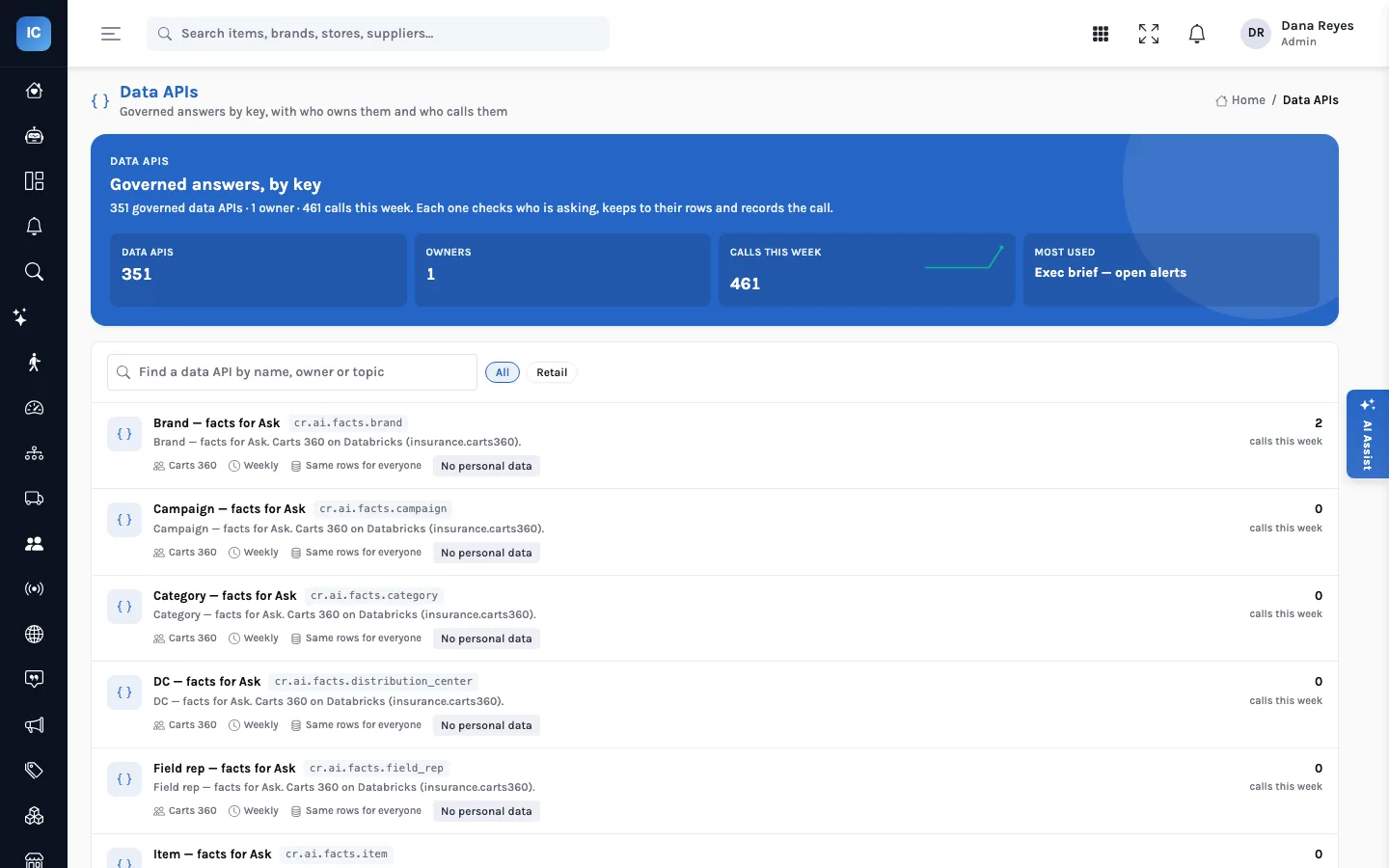
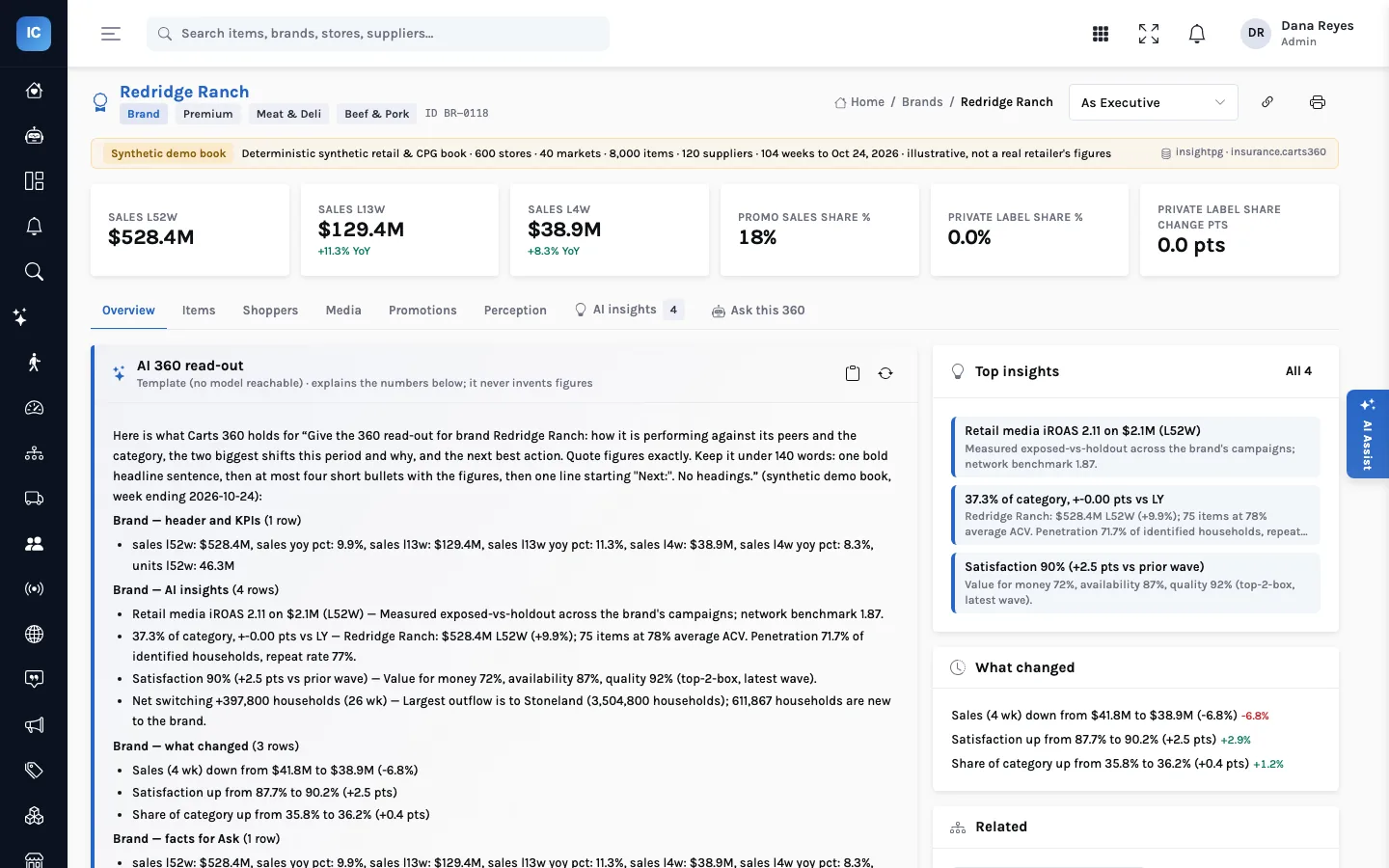
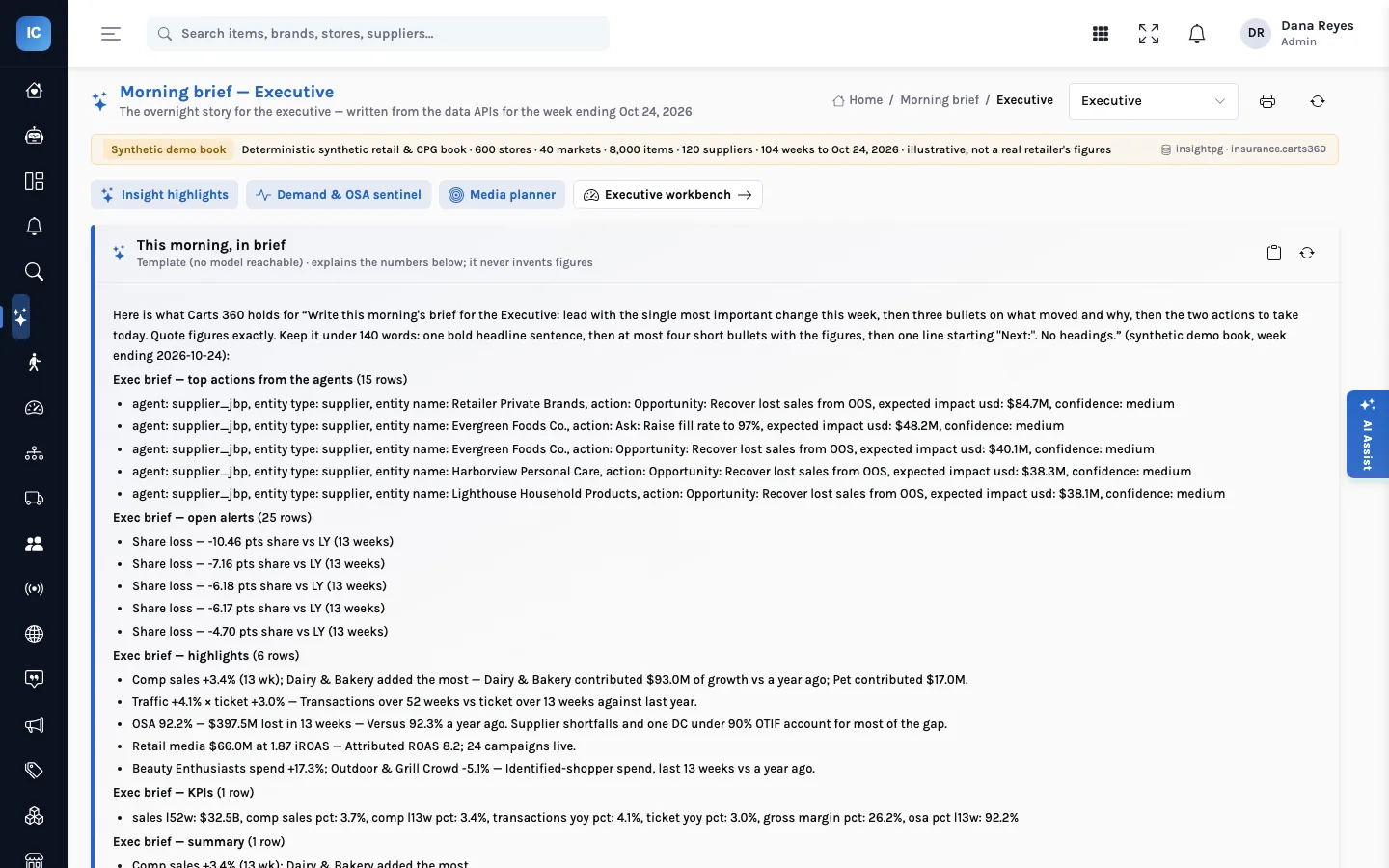
Retail data has rarely been short. What is short is a way to get from the data to a decision without a week of spreadsheet work in between: which store is losing sales to empty shelves, which brand is losing share and to whom, whether a campaign actually moved anything. InsightCarts is a retail and CPG 360 that puts those answers on one set of pages, for merchants, CPG account teams, store operations, supply chain and retail media.
What you see when you sign in
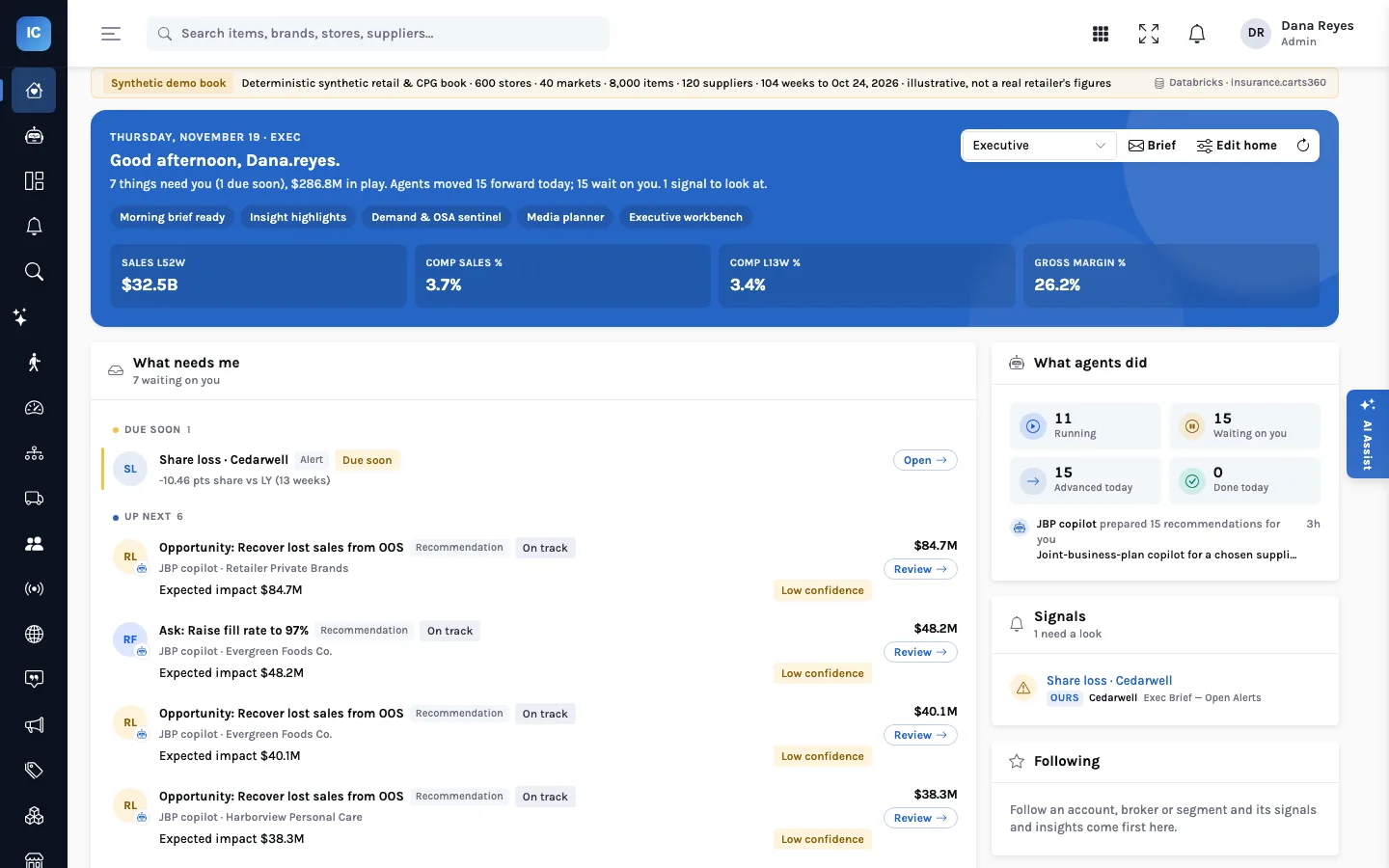
The home page is written for one persona at a time (executive, merchant, supplier, store operations, retail media or field rep). It leads with the handful of KPIs that persona is judged on, then the items that need them: alerts that are due soon and recommendations the agents have prepared, each with its expected impact and a confidence level. Beside it sit what the agents did today and the signals worth a look. A persona switch at the top changes all of it.
Behind the home page are the working surfaces:
- 360 views for 13 entity types: store, item, category, brand, supplier, marketplace seller, shopper segment, search term, market, campaign, promotion, distribution centre and field rep. Each is a page of tabs with KPIs, charts, AI insights, what changed and open alerts.
- Twelve workbenches, one per job: executive, merchant, supplier JBP scorecard, shopper behaviour, channel performance, digital landscapes, customer perception, retail media, pricing and promotion, supply and availability, store operations, and marketplace.
- Eleven AI agent pages, such as the assortment optimiser, price and promo planner, demand and OSA sentinel, replenishment agent, media planner, JBP copilot and field execution.
- Morning briefs for six personas, Ask for questions in plain English, Boards you build from Ask and keep, personal alerts, and a simulation page for what-ifs.
One idea underneath: every number comes from a contract
The design choice that matters most is easy to miss on the screen. No page in InsightCarts runs its own SQL. Every
panel, list, 360 tab, brief section and agent page asks for a data API contract by key, a reviewed query with
named parameters, typed columns, an owner, a freshness statement and a note on personal data. The current product ships
351 of them. Pages are composed by naming convention: a contract called cr.brand.360.profile is the header of the
brand 360, cr.wb.supplier.scorecard is a panel on the supplier workbench. Adding a tab or a panel means adding a
contract, not writing route code.
Because everything reads through the same layer, the same rules apply everywhere: a caller may only pass the parameters a contract declares, identity, secret and connection tables are never readable through a data API whatever a contract says, results are cached per source and tenant, and every call is recorded with who asked. The Data APIs page in the admin menu lists each contract, its owner and how often it was called.
Where the data lives
InsightCarts is built to sit on top of the warehouse you already have. Today the retail and CPG book is served from a Databricks SQL warehouse (a catalog and schema you name), and the same contracts can also be written for Postgres. A binding decides which source answers for each organisation, so a tenant can move from one source to another without the pages changing. Per-user state, saved boards and alert rules, is kept in the product's own Postgres schema.
AI that quotes, rather than invents
The AI parts of InsightCarts (briefs, agent explanations, the 360 read-out and Ask) are grounded on the same contracts. The answerer gathers the relevant facts, for an entity its profile, insights, what changed and alerts, plus up to three contracts whose phrasing matches the question, and a model writes the words around them. Every answer lists the contract keys it used. When no model is reachable, the product answers from the same facts by template rather than failing, and says so on the panel. We cover this in Morning briefs, agents and Ask.
Who it is for
The workbenches map onto the people who run a retail or CPG business week to week:
- Category merchants: category performance, assortment productivity, price gaps and promotion ROI.
- CPG account teams: the joint business plan scorecard, with sales, share of category, distribution, velocity, on-shelf availability, fill rate and promotion and media ROI. See the JBP use case.
- Store operations and supply chain: availability, out-of-stocks, phantom inventory, DC OTIF and shrink. See the availability use case.
- Retail media: campaigns, ROAS and incremental ROAS measured against a holdout. See the incrementality use case.
- Executives: comp sales, traffic and ticket, share, margin and the AI's watchlist on one page.
Where people stay in charge
InsightCarts reads and explains, and its agents prepare the next step; people decide. Agent recommendations land in a reviewed list with their expected impact and confidence, and the three hand-off agents prepare an order proposal, an audience and campaign brief or a field task list that a person reviews and sends. Prices, orders and campaigns change in your own systems, by your own teams. The first step with any team is to map their sources onto the entities and measures the pages read, so every figure on screen is one they recognise.
Questions buyers usually ask first
Do we have to move our data?
No. The contracts query the warehouse where the data already is; InsightCarts keeps only per-user state (boards and alert rules) in its own schema. What you do need is tables, or views, that map onto the entities and measures the pages expect.
Can we start with one team?
Yes. Pages appear when their contracts exist, so a deployment can begin with, say, the supply and availability workbench and the store and item 360s, and add retail media or the JBP pages later. Workbenches or tabs without contracts are simply absent.
What does the AI need?
The briefs, read-outs and Ask use a model when one is configured (Claude on AWS Bedrock today). Without one, every AI panel still works from the same facts by template and says so. Nothing in the product requires the model to see the warehouse directly.
How do we check a number we doubt?
Every panel and every AI answer names its contract keys. Open the key in the Data APIs catalog to see its owner, freshness and description, and the contract file holds the SQL.
A short checklist for a first evaluation
- Pick one persona and one weekly decision it makes (for example, which stores to send field reps to).
- List the measures that decision needs and where each lives today.
- Compare that list with the workbench and 360 panels for the persona on the demo book.
- Agree who will own each contract and what freshness it promises.
Next: how the data API layer works.