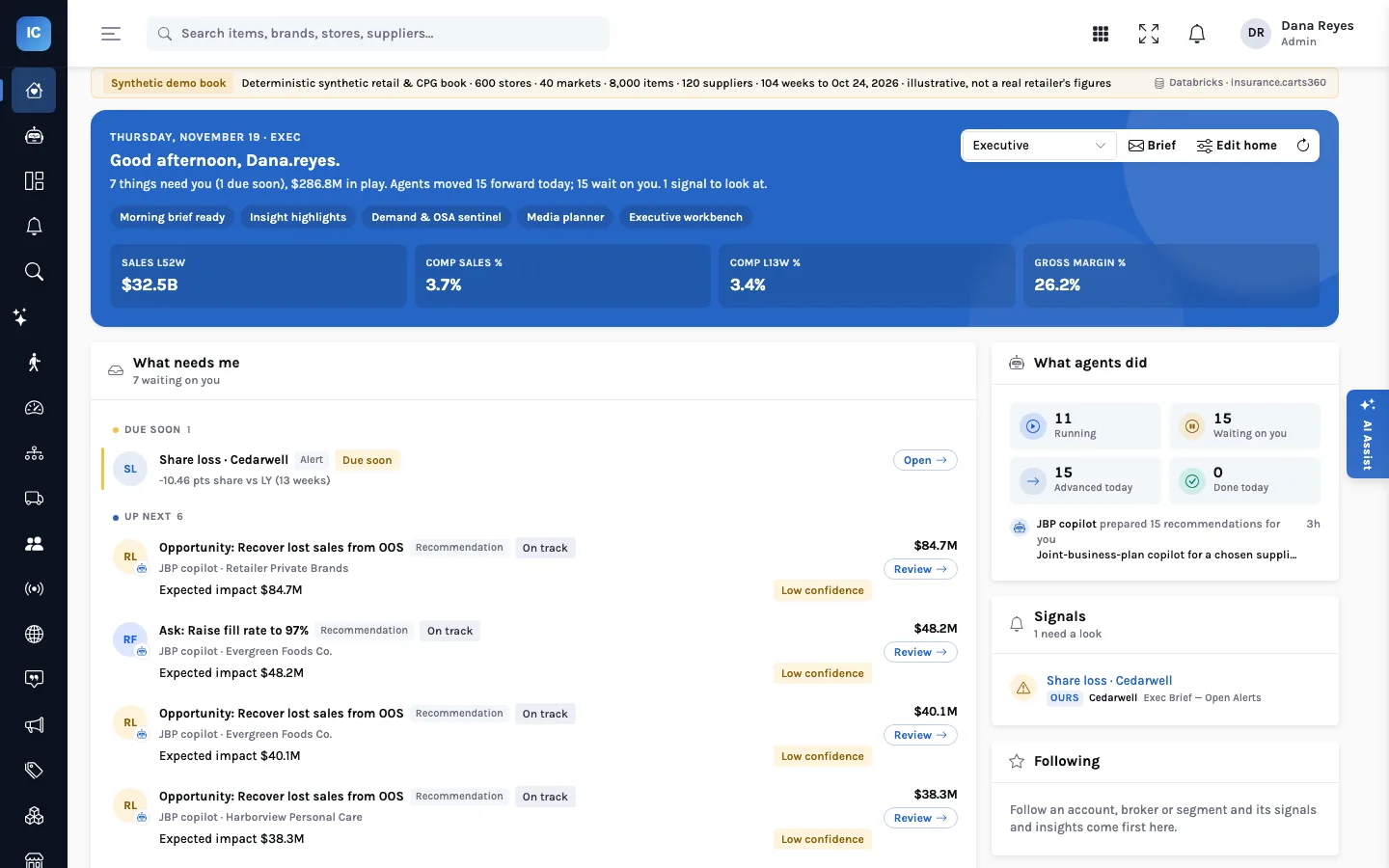
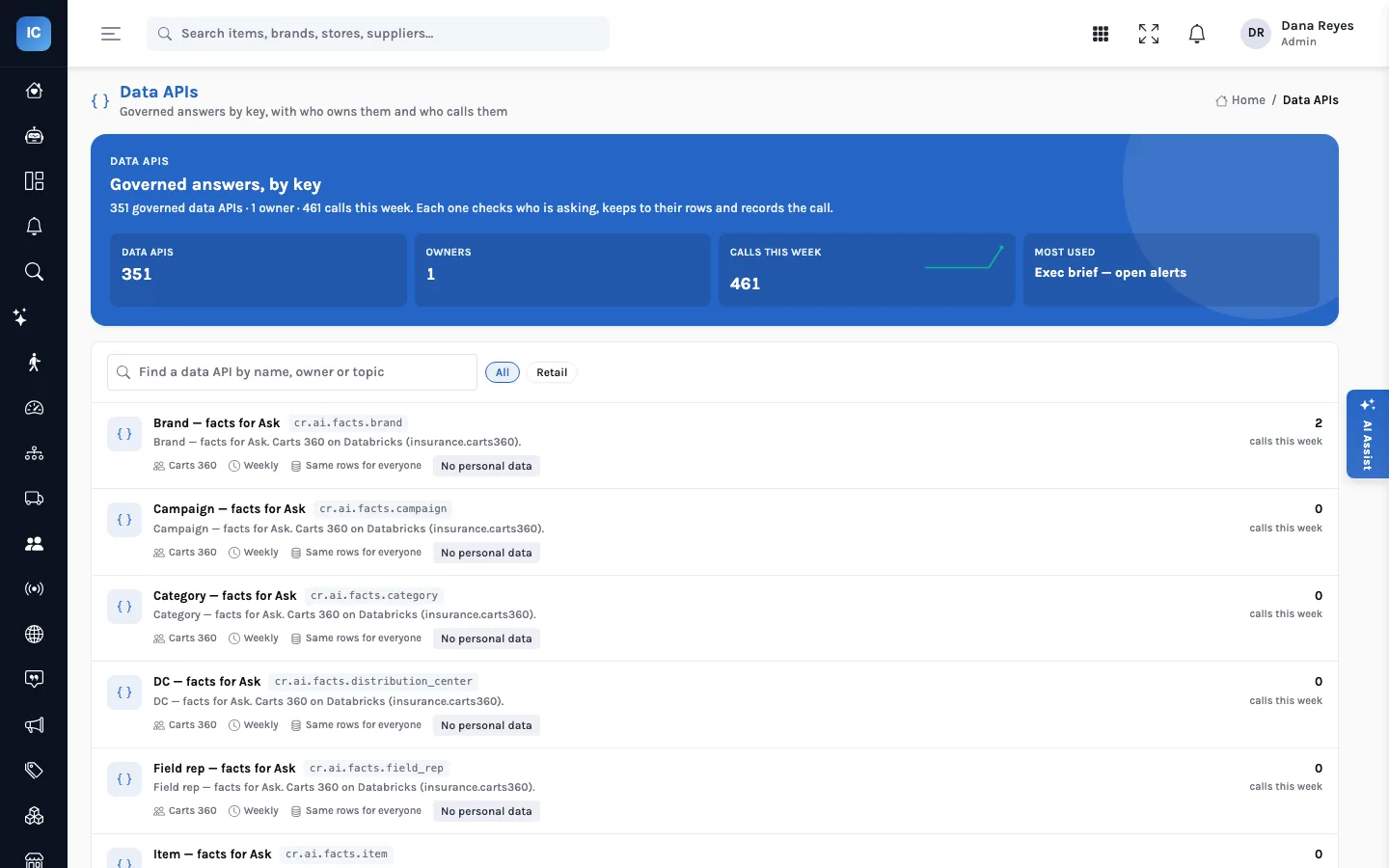
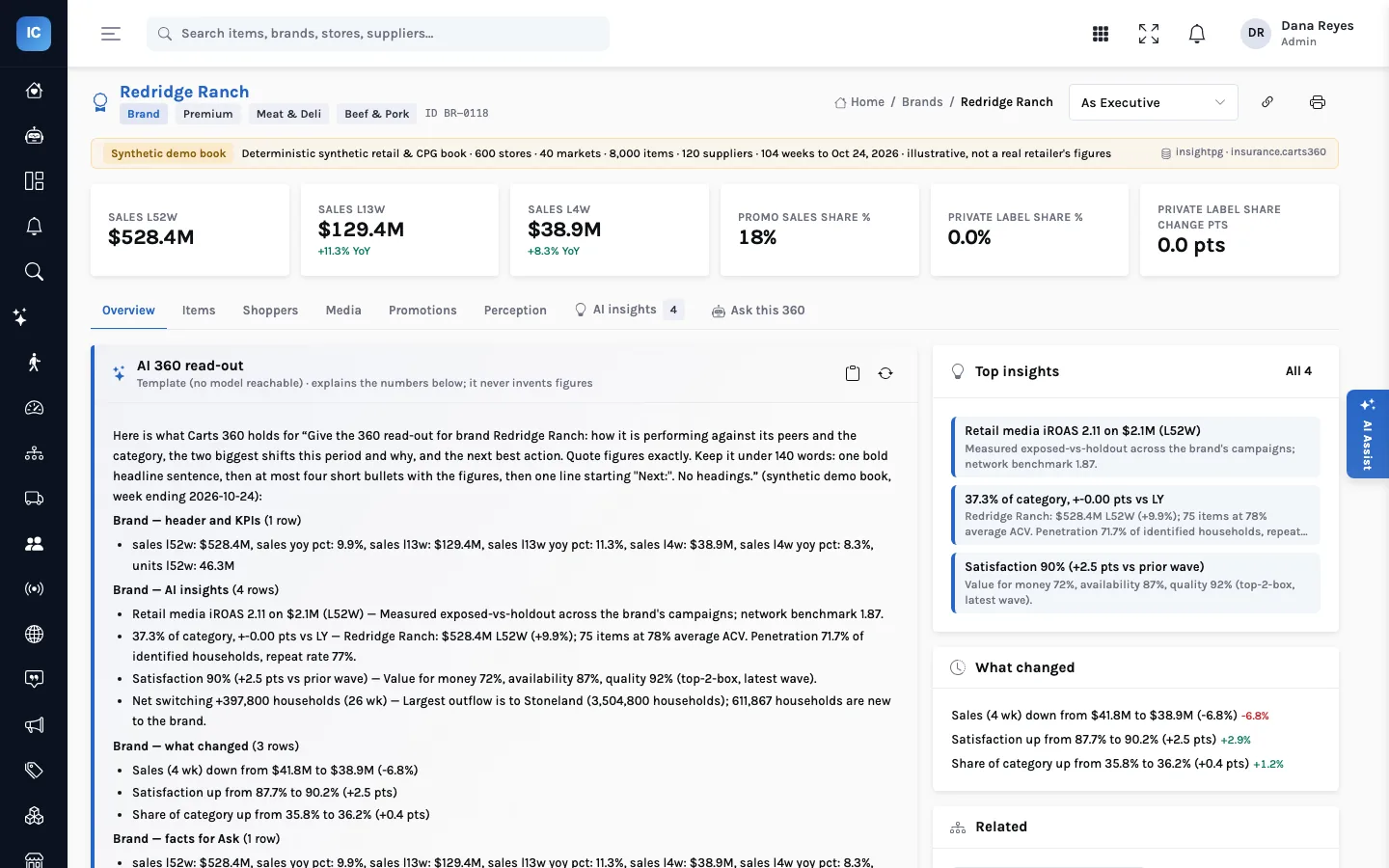
An AI layer on retail data has one job above all: get the numbers right. A brief that says comps grew 3.7% when they grew 3.4% is worse than no brief at all, because the next person to read it will check everything twice. InsightCarts' answer is structural. The AI never queries the warehouse and never makes up a figure; it is handed facts from the same governed data APIs the charts use, writes around them, and lists the contracts it relied on.
Three AI surfaces, one answerer
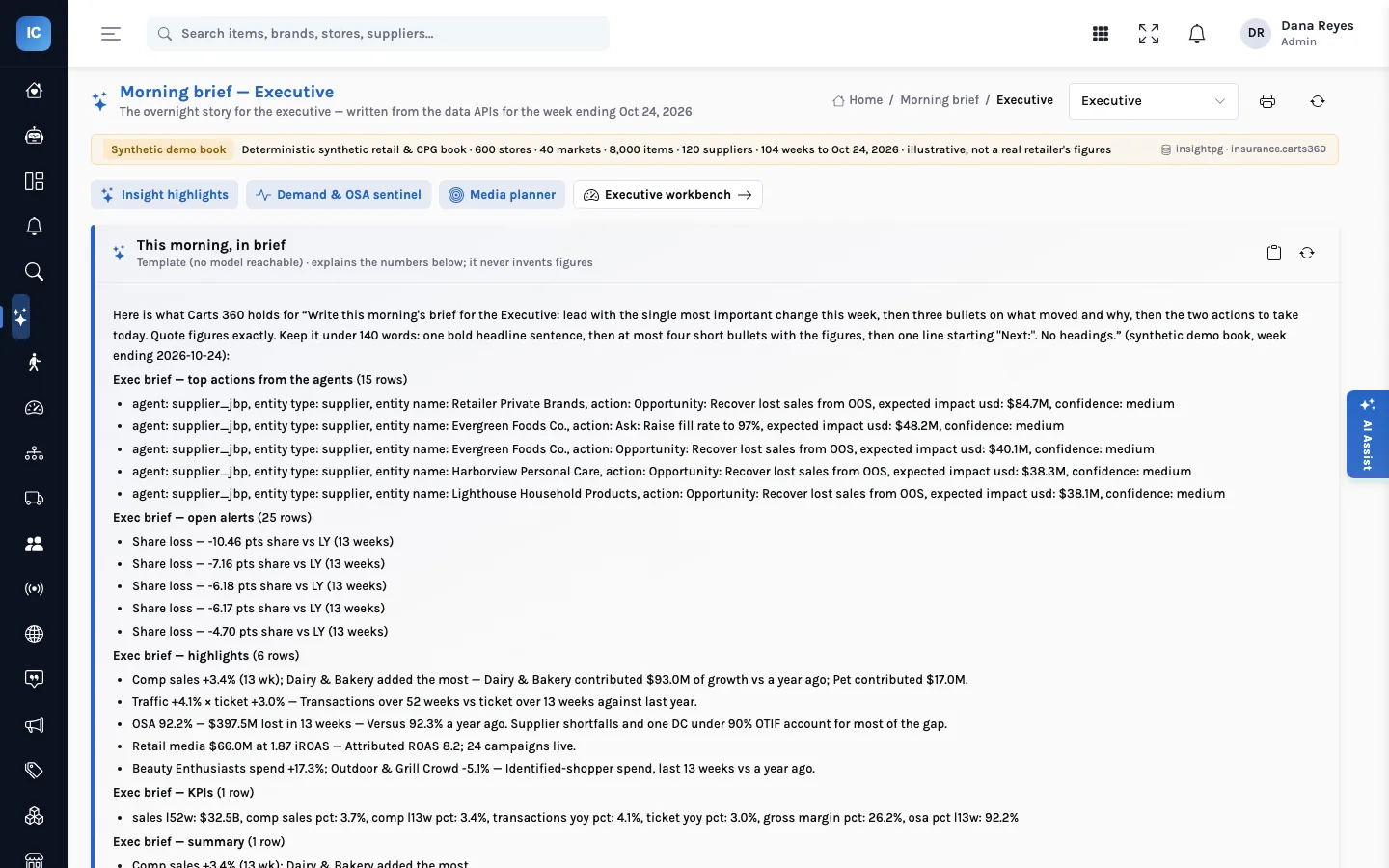
Morning briefs, one per persona
There are six: executive, merchant, supplier (CPG), store operations, retail media and field rep. Each brief is a set of sections, each section a contract (top actions from the agents, open alerts, highlights, KPIs and so on), and a short written summary on top: the single most important change, three bullets on what moved and why, two actions for today. Links across the top go to the agents and the workbench for that persona.
Eleven agent pages
Each agent is a page that turns analysis into a recommendation with its reasoning attached:
- Insight highlights: this week's top performance drivers and shopper shifts, ranked for your role.
- Assortment optimiser: SKU rationalisation and gaps by store cluster, incremental against cannibalised volume.
- Price & promo planner: elasticity-based price moves and a promotion calendar with predicted lift and margin.
- Demand & OSA sentinel: items and stores at out-of-stock risk in the next two weeks, and likely phantom inventory.
- Replenishment agent: an order proposal for at-risk item and store pairs, with quantities and why.
- Media planner and Insights activation: audiences, budgets and campaign briefs with predicted incremental ROAS.
- Shopper switching, JBP copilot, Basket & adjacency and Field execution.
Every agent page has a "Why the agent recommends this" panel at the top, then its panels: the opportunities, the plan or the list, and in several cases an action payload, a structured hand-off (for example a JBP plan or a visit plan) that another system or person can pick up. The agents recommend; they do not change prices, place orders or launch campaigns.
Ask
Ask takes a question about the whole book, about one entity, about a workbench or about a persona's brief. It also takes "build a board for…", which returns a Board instead of prose.
How an answer is grounded
For a question about an entity, the answerer collects that entity's profile, insights, what changed, alerts and its
cr.ai.facts contract. For a question about the whole book it uses the portfolio facts, the executive workbench
and the AI highlights. In every case it adds up to three further contracts whose registered example questions match yours.
Each fact set is capped (25 rows per fact), so the model sees a bounded, specific picture.
Then the words. When a model is configured (Claude on AWS Bedrock, through the platform's model layer), it writes the answer to a strict brief: quote figures exactly, one bold headline sentence, at most four short bullets, one "Next:" line. When no model is reachable, InsightCarts does not fail. It answers from the same facts by template and labels the answer accordingly. Either way the response carries the list of contract keys it used, so a reader can open each one in the Data APIs catalog.
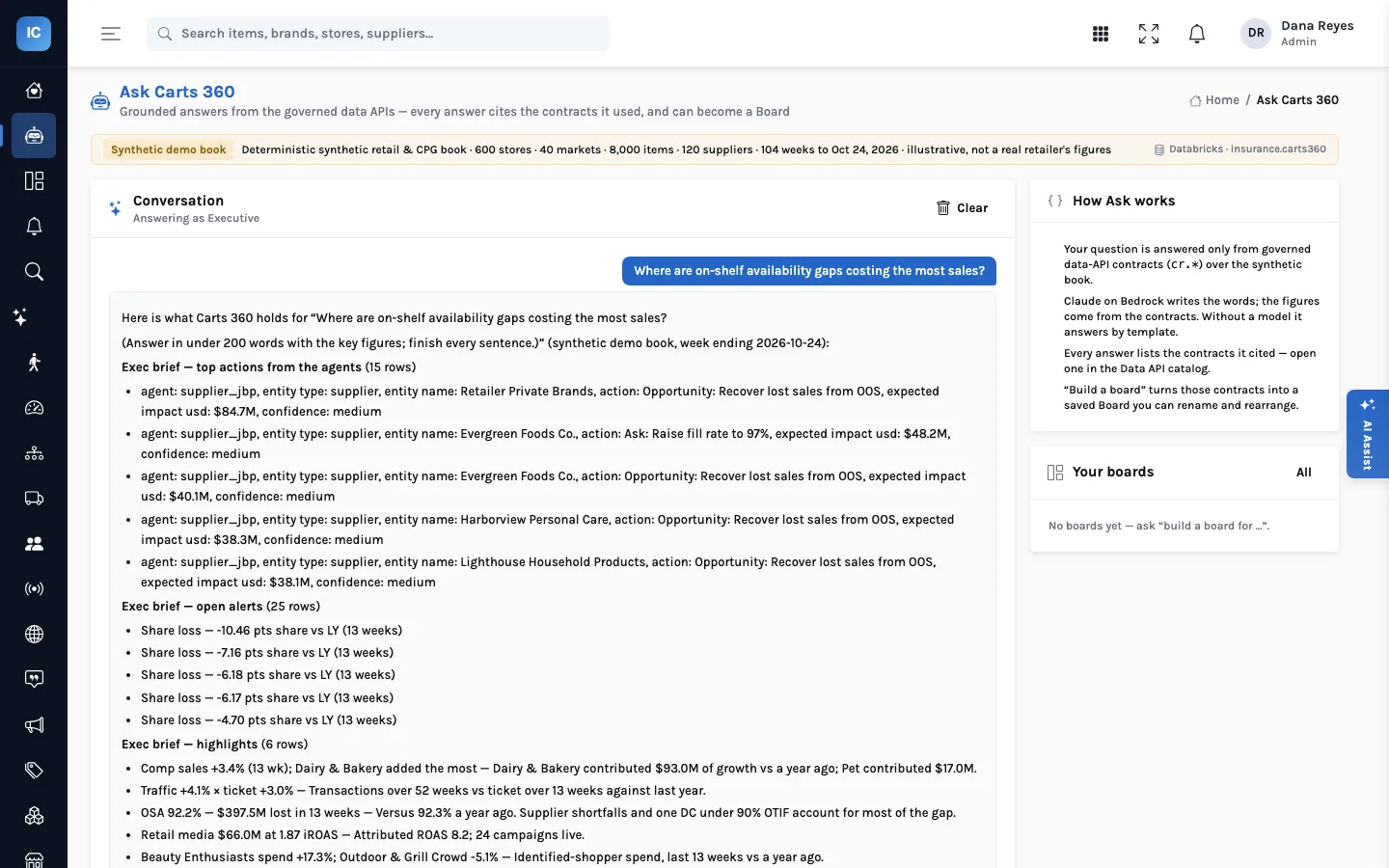
From answer to Board
When the question starts with "build a board for…", Ask returns the contracts that answer it (up to eight panels) as a Board: a saved, per-user page you can rename, rearrange and share inside your organisation. Boards render with the same panels as a workbench, so a category manager's "snacks review" board shows live figures each time it is opened, not a pasted screenshot. Boards and alert rules are kept in the product's own Postgres schema; the rows they show still come from the contracts.
How the panels are chosen: with a model connected, it is shown the catalog of workbench and brief contracts (their titles and example questions) and picks four to eight that together answer the request, best first, with a short title. Without a model, the contracts are ranked by how closely their titles and phrasings match your words. If nothing matches, the board starts from the executive workbench's panels so you have something to edit. Agent summary narratives are left out of the candidates, because a board is for live figures. Either way, you can then rename the board, move, remove or add panels from the catalog, and switch between one and two columns.
Sharing is deliberately narrow: a shared board is visible to people in your own organisation, and only its owner can change it. If a contract a board uses is later removed, that panel says the data API no longer exists rather than silently disappearing.
Personal alerts
Alert rules are just as simple: a contract, an optional parameter set, a column, a comparison and a threshold, with a severity. The alert inbox evaluates your rules when you open it and lists the matching rows next to the open AI alerts for your persona, such as "share loss, minus 10 points against last year over 13 weeks" for a brand.
- Pick the data API. Rules run over workbench and brief contracts, for example the supply workbench's phantom inventory by store.
- Pick a numeric measure, a comparison and a threshold. The comparisons are <, <=, >, >=, = and !=, so "execution score below 70" or "phantom items above 20" are one line each.
- Name it and subscribe. Every matching row becomes an inbox alert; rule hits are listed ahead of the AI alerts.
- Work the inbox. Filter to unread, to your rules or to high severity, and open the linked 360 from each alert.
Writing a brief worth reading
Ravi, a fictional regional operations lead, reads the store operations brief each morning. The brief already tells him the biggest change overnight; what it cannot know is that his region cares most about two measures. He adds two rules on the supply workbench, one on execution score and one on phantom items, and from then on his inbox lists the stores that cross either line next to the brief's own alerts. When he wants the detail for his Thursday call, he asks for "a board for west region availability" and saves it. An illustration of the workflow on made-up data.
What to expect when the facts do not answer the question
The model is told to answer only from the facts it was given and, if those facts do not answer the question, to say what is missing. It is also told to name stores, brands, suppliers and items by name rather than by ID, to quote figures as formatted (for example $32.5B or +1.4 pts) and to keep to about 250 words. That makes a narrow question about something the contracts do not cover come back as "not in the data" rather than as a guess, which is the behaviour you want from a tool that people will quote in meetings.
Questions to put to any retail AI tool
- Where does each figure in this answer come from, and can I open the query?
- What does the tool do when the model is down, slow or not allowed for this data?
- Can the answer become something I keep, and does it stay live?
- Does the AI ever act, or only recommend? Who approves an action?